How it works
Your agent asks. You decide. It carries on.
Ayedesk is a loop with four steps and no messenger. The agent never polls and you never go back to a chat window to say “approved”.
-
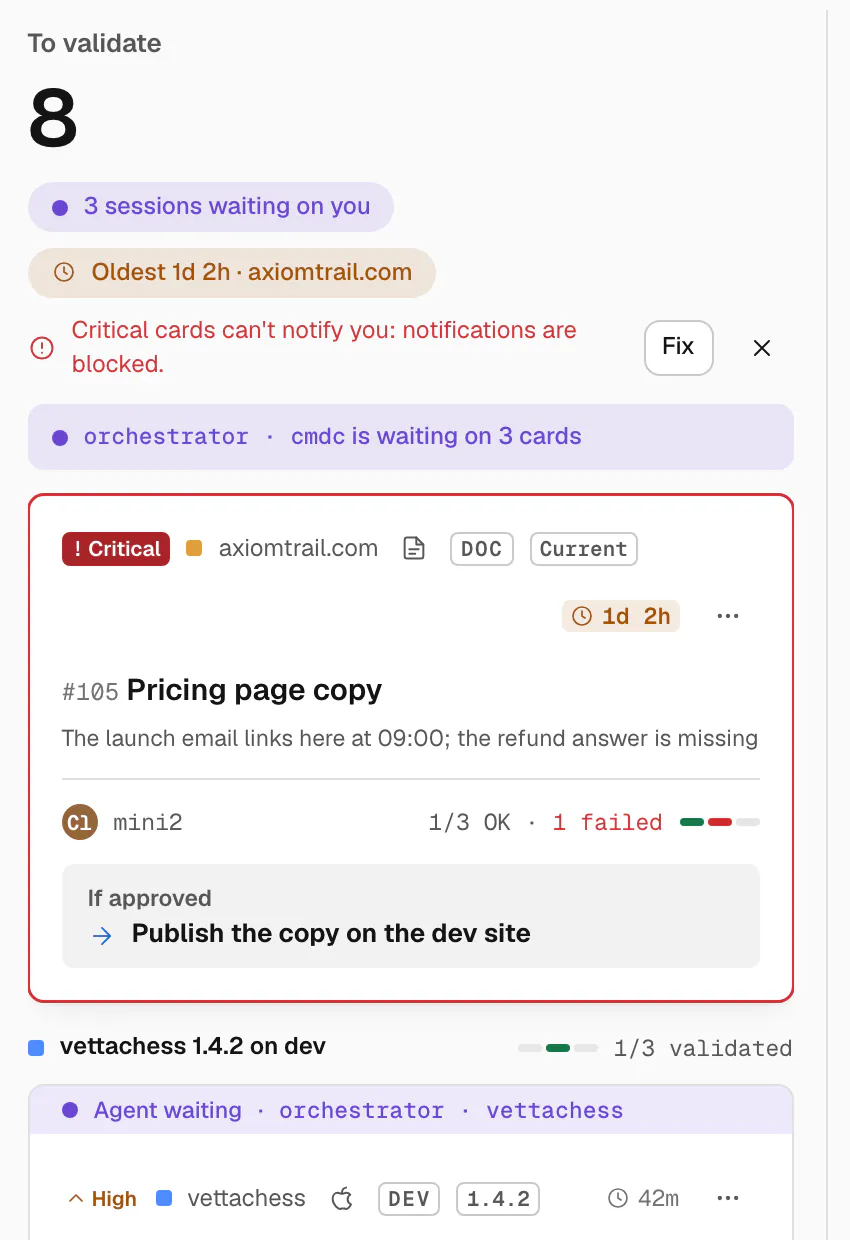
The agent posts a card.
When work needs your eyes, the agent posts a card: a title, what changed and where (branch and commit, or a link), up to twelve checks with how to test each one, and in one line what happens if you approve.
Posting is safe to retry: the same request never makes a second card. A card on one change for iOS, Android and the web becomes a group, and a release card can promote it to production.
-
It waits, without spending tokens.
The agent starts one command in the background and stops. Nothing runs in the conversation while you think: no polling loop, no tokens. The card shows Agent waiting, so you know which decisions unblock someone right now.
When you decide, the command prints one line and exits, and that wakes the session up. In Claude Code this is a background command; in Codex the agent ends its turn and picks the decision up from its inbox.
YouRewrite the pricing page copy, then publish it on the dev site.
The new copy is ready. Before I publish it, I've asked you to check it on Ayedesk.
#105Pricing page copy
3 checks for you
If approved: publish the copy on the dev site
Waiting for your aye0 tokens while you decide
Aye from Jordi3 of 3 checks OK
Approved. Publishing the copy on the dev site now.
-
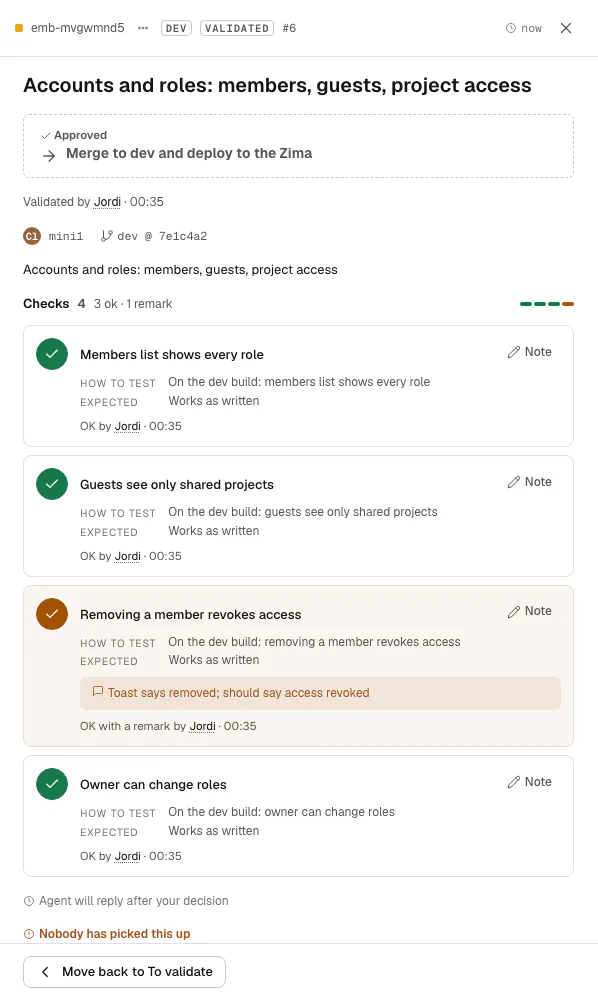
You tick and decide.
Mark each check OK or failing, add a one-line note, then validate or send it back. From the Mac, the iPad or your phone. A decision becomes final after ten seconds, so a slip of the finger costs nothing.
Approving allows exactly the action written on the card. Agents can never decide, undo or reopen: there is no tool for it, and the API refuses an agent that tries.

-
The agent wakes up and carries on.
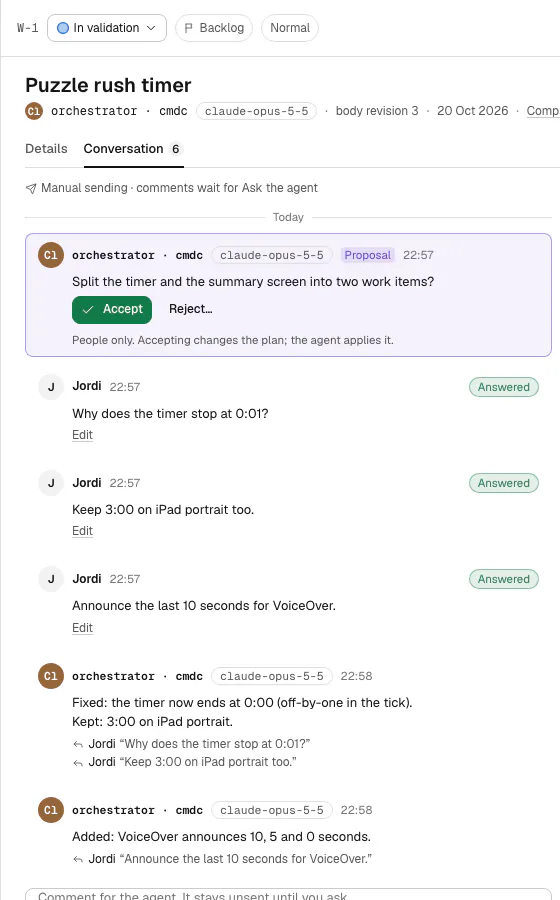
The session that was waiting claims your decision, once, with everything it needs: the outcome, your comment and each failed or flagged check. It answers every note in a line, Fixed: … or Not changed: because …, and goes on with exactly what the card said.
If you asked for changes, it sends a new version of the same card, and the loop starts again where it left off.


Revisions
A new version is the same card.
After feedback the agent resubmits the card, never a new one. Version 2 opens with what changed since you last looked and the agent's answer to each of your notes. Only changed or new checks need you again; the ones you passed are kept, marked from v1.
The card keeps every version, so the record shows how the work got to Validated.

Evidence
See the proof, not a promise.
Agents attach screenshots and files to each check, and mark what matters in red. Open them full screen: zoom, pan, swipe across checks, and put version 1 beside version 2. Draw a box where something is wrong, add a note and fail the check with it; the agent gets your boxes with the decision.

When nobody was waiting
Decisions don't get lost.
Sessions end, laptops sleep. If no agent was waiting when you decided, the card says Nobody has picked this up, and the decision waits in the inbox.
-
Any session can pick it up
Tell any agent session to check Ayedesk. It reads the inbox, claims what belongs to it and carries on.
-
Claimed exactly once
A decision is claimed by one session. Another that tries is told it's taken and leaves it alone.
-
Resume after a crash
A session that lost its wait runs the same command again and gets its decision back.
Give your agents a desk.
Free during early access. We're opening Ayedesk a few desks at a time.